Google Maps Scraper
Extract business names, addresses, phone numbers, websites and ratings from Google Maps, then export them to CSV, Excel or JSON. Free to start, no code, no browser extension.
Need this at scale? Use the Google Maps scraper API.
A Google Maps scraper is a tool that collects public business listings from Google Maps and turns them into structured data you can sort, filter and import. Instead of copying listings one at a time, you run a single search and get every matching business, with 23 data fields each, in one file. Sales teams use it to build lead lists, agencies use it to research their clients' competitors, and developers use it to feed accurate location data into their own apps.
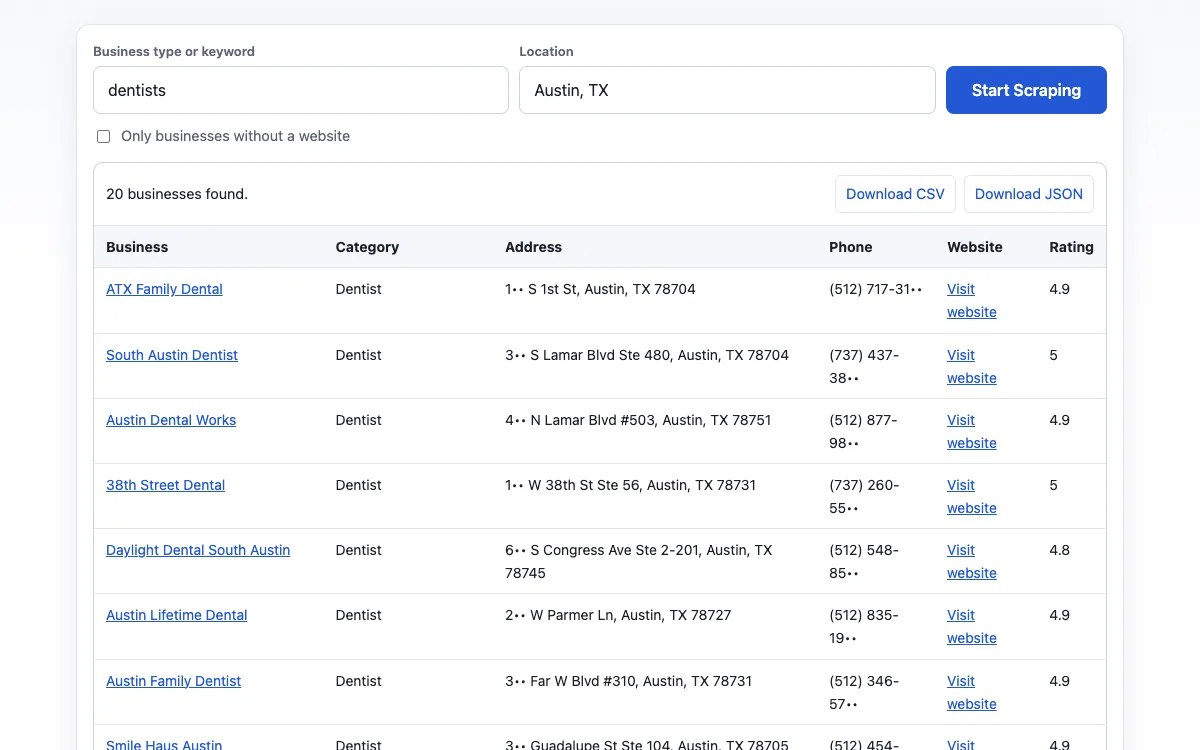
What Data You Can Extract
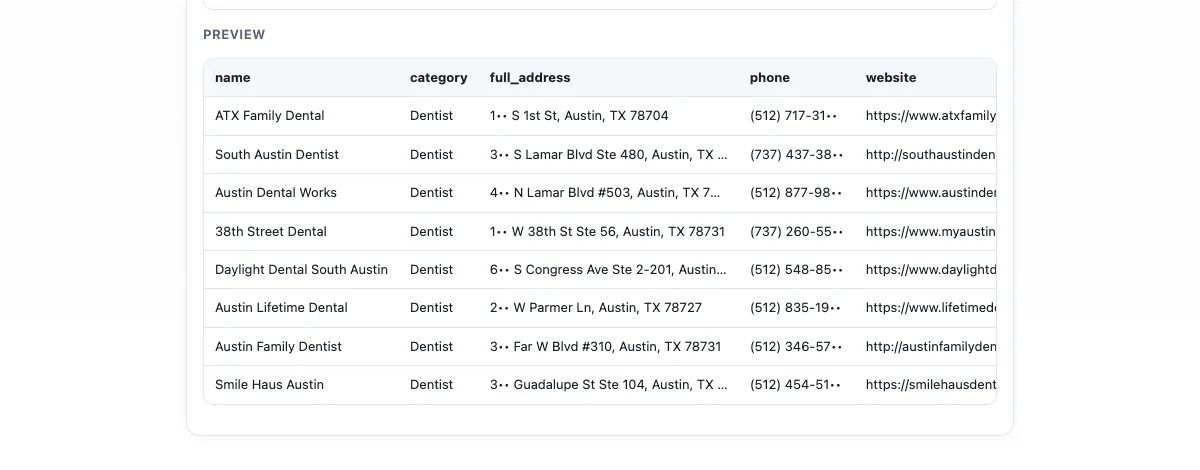
Each row in your export is one business on Google Maps, with the same 23 fields on every plan; the Google Maps data scraper page lists every column. Here is what the main fields contain and what a typical value looks like, so you know exactly what you will get before you run a search.
Business Name, Category & Address
The business name exactly as it appears on Google Maps, its main category, and the full address, also split into separate columns for city, state or region, postal code and country code. Separate columns make it easy to filter a list by city or ZIP code, sort it by neighborhood, and match records against the accounts already in your CRM. Secondary categories are included when a business lists them.
ExampleBlue Fern Dental · Dentist · 4815 Cedar Hollow Rd, Austin, TX 78745, US
Phone Number, Website & Email
The phone number shown on the listing, in local format, and the business's website. Google Maps does not display email addresses, so on paid plans the scraper visits each website to find the contact emails published there and adds them to the same row. You can also scan the websites from any export with the email extractor.
Example(512) 555-0142 · bluefern-dental.example · hello@bluefern-dental.example
Ratings, Review Count & Opening Hours
The average star rating, the total number of Google reviews, and opening hours for each day of the week. Price level and business status (operational, temporarily closed or permanently closed) are included too, so you can remove closed businesses before you start outreach and rank the rest by reputation. Hours are listed per day, which makes it easy to find businesses that open late or on weekends.
Example4.8 stars · 312 reviews · Mon–Fri 8:00 AM–5:00 PM · Operational
Latitude & Longitude, Place ID
Exact coordinates for mapping and distance calculations, the listing's Google Maps URL, and its Place ID, the permanent identifier Google assigns to every place. Use the Place ID to remove duplicates when you combine several searches, and to match the same business across different tools and spreadsheets. Coordinates use decimal degrees, the format used by Google Maps, GIS software and most mapping libraries.
Example30.2071, -97.8011 · ChIJb3aF0k21RIYR9xQ2nP8cV0E
Who Uses Google Maps Scraper
Anyone who needs an accurate, up-to-date list of local businesses. These four groups use it most, and each of them relies on a different set of fields.
Lead Generation Agencies
Agencies build targeted prospect lists for their clients in minutes instead of days: every plumber in Phoenix, or every gym in Greater London. Because each row includes a phone number, website and email, the list can go straight into a calling or cold-email campaign. Ratings help with prioritizing too. A 3.2-star business with 40 reviews is a far better prospect for a reputation-management offer than a 4.9-star business with 600. Agencies that serve several clients can run the same search for each territory and deliver a fresh file every week.
Marketing & Local SEO
Local SEO specialists pull every competitor in a category and city to benchmark ratings, review volume, categories and opening hours. Run the same search every month and you have a simple tracker that shows how a client's reputation moves against the local market. Coordinates make it easy to plot competitors on a map and spot the neighborhoods nobody serves well. Categories also reveal which primary category each competitor has chosen, one of the strongest signals in local search rankings.
Real Estate & Restaurant Research
Real estate agents and investors map the amenities around a property, such as schools, gyms, grocery stores and cafés, to value a location or strengthen a listing. Restaurant groups and food startups size a market before they open: how many Thai restaurants are within two miles, how well they are rated, and what hours they keep on weekends. Franchise developers use the same data to find towns where a brand has no location within a set radius.
Developers & Sales Teams
Developers use JSON exports to seed business directories, enrich CRM records and build location features without running their own proxies or headless browsers. Sales teams import CSV files into HubSpot or Salesforce, assign territories by ZIP code, and give every rep a current list of the accounts in their area. Because every record carries a Place ID, new exports merge into existing data without creating duplicates.
How to Scrape Google Maps in 3 Steps
You don't need to write code, install a browser extension or set up proxies. The whole process takes about a minute. For screenshots of every step, read our guide on how to scrape Google Maps.
-
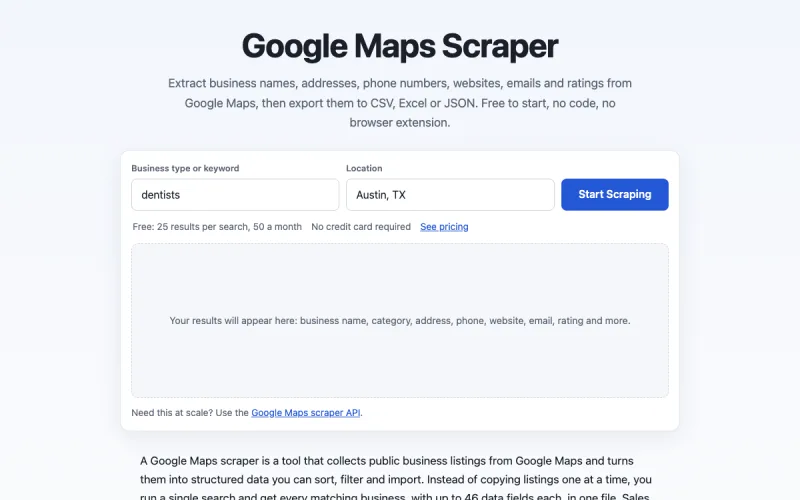
Step 1. Enter a keyword and a location
Type the kind of business you are looking for, such as "dentists" or "coffee shops", and where to search: a city, a ZIP code or a street address. Use the same words you would type into Google Maps itself. Be specific: "pediatric dentists" returns a tighter list than "dentists", and a ZIP code covers a smaller area than a whole city.
-
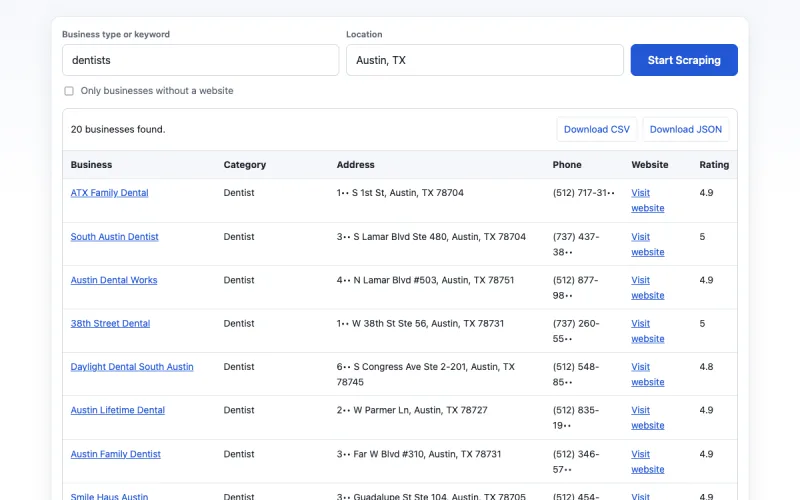
Step 2. Start scraping and preview the results
Click Start Scraping. The tool searches Google Maps and shows the first 25 businesses in a table within seconds, so you can check that they match what you expected before you download anything. If the list looks off, adjust the keyword or narrow the location and run it again.
-
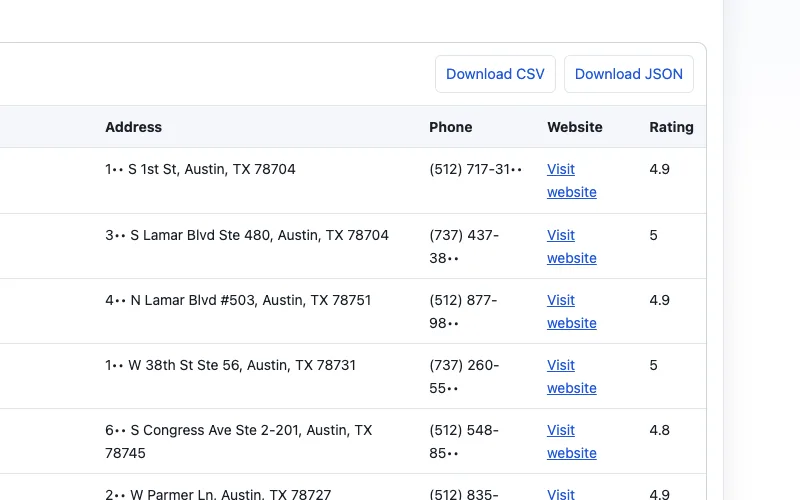
Step 3. Download your file
The free plan exports up to 50 rows a month as CSV or JSON. Paid plans add Excel, unlock the full result set and let you run many keywords and locations in a single job. Large jobs run in the background, and the file is ready as soon as the search finishes.
Prefer code? The same three steps work through the API, which returns the results as JSON.
Export Formats: CSV, Excel, JSON & API
Pick the format that fits your workflow:
- CSV is the universal option. It opens in Excel, Google Sheets and Airtable, and imports into HubSpot, Salesforce and most other CRMs. Choose it when the list is headed into another tool.
- Excel (.xlsx) keeps column widths and number formats, ready to share with your team.
- JSON gives developers structured records to load into a database, script or app. Field names stay the same in every export, so your import code doesn't break.
Every file uses UTF-8 encoding, so names and addresses in any language display correctly. To work in Google Sheets, upload the CSV or open the Excel file straight from Google Drive. If you need fresh data on a schedule or inside your own product, see the API docs: send a keyword and a location, get JSON back, and pay only for the results returned.
Google Maps Scraper vs Official Places API
Google's official Places API is designed for apps that show live place information on a Google Map. It is not built for creating a list of businesses you can download and keep, and its limits show it. Here is how the two compare for that job.
| Google Maps Scraper | Official Places API (New) | |
|---|---|---|
| Setup | Type a keyword and a location | Google Cloud project, billing account, API key and code |
| Places per search | Up to 120 on paid plans | Up to 60 per Text Search query, 20 per request |
| Phone, website, rating | Included in every export | Billed at the Text Search Enterprise rate: $35 per 1,000 requests after 1,000 free requests a month |
| Email addresses | Collected from each business website | Not available |
| Storing the data | Download and keep as CSV, Excel or JSON | Content may not be cached or stored, except Place IDs |
| Best for | Lead lists, market research, datasets | Live place features inside an app |
Places API figures come from the Google Maps Platform pricing list and the Places API policies, checked on October 29, 2026.
Price is not the main difference. At $35 per 1,000 requests, with up to 20 places per request, the API is affordable for small projects; our guide to Google Maps API pricing breaks down every tier. The real differences are how many places you can get from one search, whether you get emails, and whether you are allowed to keep the results. If you are weighing your options for a data project, read our guide to the official Places API alternative.
Pricing & Free Limits
Google Maps Scraper is free to start. The free plan returns up to 25 results per search and 50 a month, and you don't need a credit card. When you need more data, choose a monthly plan:
- Starter$19/mo5,000 results a month, CSV and Excel export
- Pro$49/mo25,000 results a month for regular prospecting
- Business$149/mo100,000 results a month for agencies and large lists
Every plan includes every data field; paid plans add Excel export and the emails published on business websites. You are only charged for results you receive, so a search that finds nothing costs nothing. Plans renew monthly and you can cancel at any time. The same results work through the API, and pay-as-you-go billing for developers is coming soon. See pricing for full plan details.
FAQ
Last updated: October 29, 2026
What is a Google Maps scraper?
A Google Maps scraper is a tool that extracts public business listings from Google Maps as structured data. Enter a keyword and a location, and it returns each business's name, address, phone, website, rating and more, ready to export to CSV or Excel.
Is it legal to scrape Google Maps?
It depends on what you collect and how you use it. We read public listings and never sign in to a Google account. Scraping public data likely doesn't violate the US Computer Fraud and Abuse Act (hiQ Labs v. LinkedIn, 2022), but Google's terms and privacy laws like GDPR still apply. Get legal advice.
How do I scrape Google Maps without coding?
Use a no-code tool like the Google Maps Scraper on this page: type a business type and a location, click Start Scraping, and download the results as a CSV or Excel file. No API key, proxy or extension is needed.
What data can I extract from Google Maps?
23 fields on every plan: name, category, address, phone, website, rating, review count, opening hours, price level, business status, coordinates, Place ID and more. Google Maps sometimes hides the review count, hours and status from visitors who aren't signed in, and those fields are then empty. Paid plans add the emails each business publishes on its own website.
Can I get email addresses from Google Maps?
Not directly, because Google Maps listings don't include email addresses. On paid plans, Google Maps Scraper visits each business's website, collects the contact emails published there and adds them to the same row. The email field is empty when a business has no website, publishes no email, or its website blocks automated visits.
How many results can I get from one Google Maps search?
Free searches return up to 25 results and paid plans up to 120, about as many as Google Maps lists for one search. For a large city, split the area into neighborhoods or ZIP codes and run a search for each, then remove duplicates by Place ID.
How much does Google Maps Scraper cost?
Google Maps Scraper is free for up to 25 results per search and 50 a month, with no credit card. Paid plans start at $19 per month for 5,000 results, usable in the web app or the API.
Should I use Google Maps Scraper or the Google Places API?
Use Google Maps Scraper for a spreadsheet of leads or research data, and the Google Places API for apps that show live place data on a Google Map. The API returns at most 60 places per text search, has no email field and doesn't allow storing results except Place IDs.
Will scraping Google Maps get my IP address blocked?
No. Google Maps Scraper runs on our cloud servers, so searches never come from your computer or IP address. You don't need proxies or a VPN, and large jobs keep running after you close the tab.
How up to date is the data?
Each search runs live on Google Maps when you click Start Scraping, so results reflect listings as they appear that day, including new openings and closures. To refresh a list, simply run the search again.
Can I export Google Maps data to Excel or Google Sheets?
Yes. Download results as CSV, Excel (.xlsx) or JSON. CSV opens directly in Excel and Google Sheets and imports into CRMs such as HubSpot and Salesforce. Files are UTF-8 encoded, so any language displays correctly.
Does Google Maps Scraper work outside the United States?
Yes. Google Maps Scraper works in every country where Google Maps lists businesses. Enter a city, region, postal code or coordinates, choose the results language, and addresses and phone numbers come back in each country's local format.